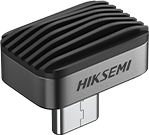
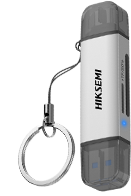
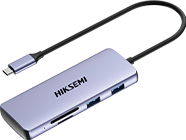
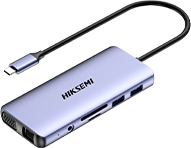
OTG stands for On-The-Go and is a technology that allows mobile devices such as smartphones or tablets to connect and communicate directly with other peripherals. This technology was released by the USB standardisation organisation (USB Implementers Forum) in December 2001, and around 2014 it started to become popular in the market. Specifically, the OTG function allows the mobile device to act as a "host", connecting to external keyboards, mice, storage devices, etc., without the need for an intermediary device such as a computer. This direct connection makes the use of mobile devices more flexible and extends their functionality.
Ⅱ What are the application scenarios of OTG?
1. Mobile phones and tablets
Smartphones and tablets are the most common OTG devices, they can be used as OTG hosts to connect to various USB peripherals, such as USB flash drives, mice, keyboards and gamepads. When you take photos outdoors with your mobile phone, having an OTG-enabled USB flash drive makes it easy to transfer photos without the pressure of storage capacity. When you use your tablet, with a hub that supports OTG function, you can let your tablet connect to multiple devices and use keyboard and mouse at the same time.
2. Mobile power supply
A mobile power supply that supports OTG function can provide power and data transfer function to the connected devices.
3. Cameras and video equipment
OTG-enabled cameras and video devices can be directly connected to mobile phones for instant transfer and sharing of pictures/videos. When you use your camera to record moments, an OTG cable can easily import photos from your camera's memory card to your mobile phone.
4. Reloading system
When the phone or other devices are down, you can use the OTG cable to connect the USB flash drive with the system flashing package and then reboot after powering up and flashing by loading the flashing package.
Ⅲ How to determine the compatibility of OTG devices?
1, Check the device manual or official instructions
Device manufacturers usually specify whether the device supports OTG function in the product manual or official website
2, Check the hardware interface
OTG devices usually use Micro-USB or USB Type-C interface, if the interface is Micro-USB, you need to confirm whether there is an OTG logo; if the interface is USB Type-C, most of the cases support OTG function.
3, Check the operating system version
OTG function needs the support of the operating system, different versions of Android, iOS and other systems will have different degrees of support for OTG.
4, The actual test
You can try to connect different types of USB devices, such as mice, keyboards and storage devices, or download the free "USB OTG Checker" app on your device to check.